How to Respond to a Negative Google Review

How to Respond to a Negative Google Review

Reading Time: 5 minutes

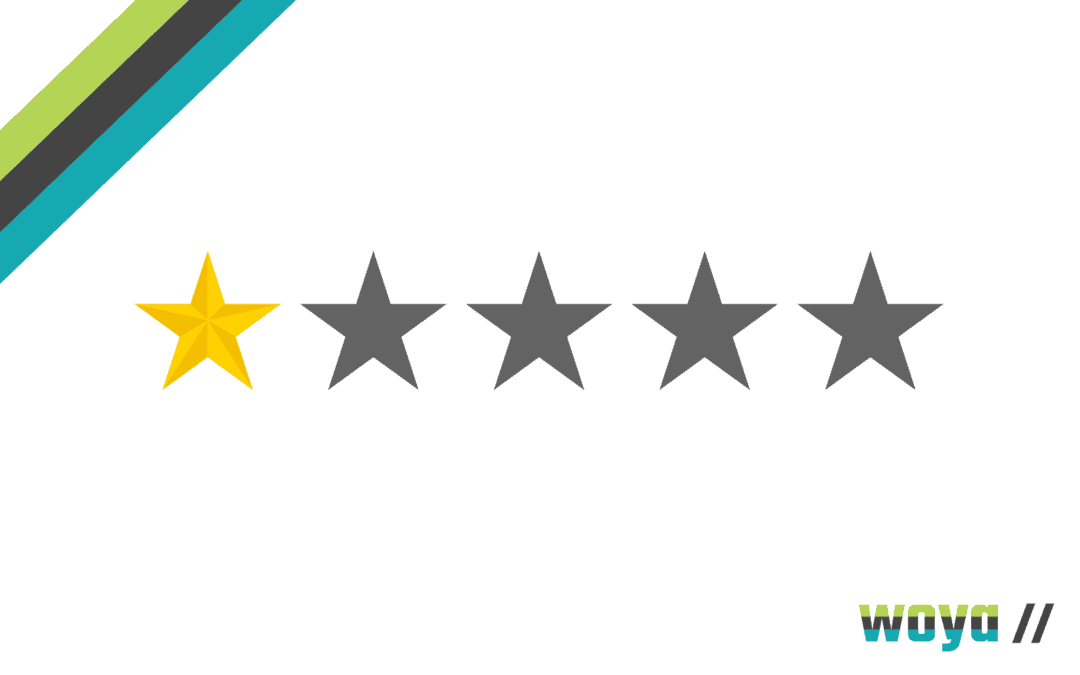
For modern businesses, a negative Google review can feel like its make or break – but how you respond and manage bad reviews, determines the potential impact.

It is vital to have a review strategy in place, so let’s look at what marketing tactics you can use to manage any negativity that comes your way, and how to handle reviews without the stress factor.

The Power of the Google Review

Customer feedback is massively valuable and can help us improve our businesses, products, services, and client experience across the board.

Managing reviews, being proactive about requesting feedback, and taking the time to address any adverse ratings is crucial! Taking the initiative is all about reputation management, so ignoring bad feedback can only stand to make things worse, or reinforce the validity of the review for prospective new clients. If you assume your customers are happy – and they aren’t – it is impossible to know what changes you might make that would instantly improve your Google ratings.

Likewise, if you want to road-test something new, your customers are your first stop in evaluating what works well, and what needs a tweak! However, negative Google reviews can be a huge challenge: 88% of customers trust online reviews as much as personal recommendations.

Creating a Culture of Growth

OK, so we know the value of reviews and allowing your customers an independent forum to air their experiences. However, negative reviews are not to be feared!

  • Positive reviews provide that feel-good factor, and attract new customers – but don’t give any scope for improvement.
  • Negative reviews are an opportunity to showcase how much you value your clients, with a public medium to deal with the issue.
  • Learning and growth are integral to the success of any organisation, and having the humility to accept when things haven’t gone well adds that personal, human touch.
  • Some businesses can also see a conversely positive effect, when having dealt with bad reviews professionally, thoroughly, and with the dedication to putting things right.

One of the most disastrous things you can do, if you’ve got a negative Google review, is to ignore it. The second most disastrous thing you can do? Be defensive! And the icing on the cake? Assigning an untrained member of staff to ‘make the problem go away’.

Here at Woya Digital, we have dealt with countless crisis response issues and damage control initiatives, and they almost always have a common thread. Companies might see social media or their digital presence as solely a marketing ‘technique’ – and devaluing the critical importance of these public spaces can be damaging.

If you appreciate the importance of your online presence, and how this touchpoint marks the first impression almost every client will have of your business, that sets the tone for handling negativity with a constructive attitude.

Here are a few things to think about, before firing off an angry reply:

  • Is the review accurate?
  • Can you correct the situation?
  • What has this taught you?
  • How can you make sure the same thing doesn’t happen again?

Great responses always work to provide a solution, where possible, and work with the customer to give the business a chance to understand what’s gone wrong. And EVERY review should be responded to, whether positive or negative.

A customer who takes the time to write down how they feel is your secret weapon in organic marketing, so always take the time to reply thoughtfully, promptly, and with thanks for the effort taken to provide constructive feedback about your service.

The Negative Google Review Tool Kit

OK, so you’ve had a terrible review, it’s splashed all over Google, and your five-star rating has just dropped down a notch.

It’s not a great feeling, but it’s how you deal with it that matters now.

  1. Take your time to read the review, understand the problem, and investigate the facts. Replying without knowing what’s happened internally can make things much worse, so make sure you have all the information you need before entering into a discussion.
  2. Always respond – even if to acknowledge the feedback, and advise that you are investigating. Yes, sometimes customers see this as a ‘cop-out’ – but only if you never do get back to them!
  3. Discuss the situation with your staff, and ask for honest appraisals about the situation. There are two sides to every story so, while the customer is king, don’t be quick to place blame or fault without everybody having the opportunity to have their input.
  4. Respond publicly. It’s always tempting to send off an email or have a private call. These are great to follow up with, and demonstrate how seriously you are taking the situation! However, a lousy public Google review with zero response is not a good look.
  5. Acknowledge what went wrong. We’re all human, mistakes do happen, and there’s nothing negative about owning up to your shortcomings.
  6. For whatever reason, someone who spends money with you feels unhappy. Always be apologetic for the inconvenience or the upset – because drilling down into the cause can be a powerful way to prevent any recurrences.
  7. Ask questions! If you need to know more, or you would like to understand why your customer is upset, ask them for the information you need.
  8. Provide a solution. In some cases, a disgruntled customer might not want a replacement product, a refund, or some other compensation, but you should always offer.
  9. If your customer is satisfied with your response and the way their concern was handled, you can request they update their review; with no pressure!

If you’ve responded, offered your appreciation for the feedback, given a solution, provided context where appropriate, and apologised – you’ve done everything possible.

Keep your cool, be calm and respectful, and NEVER resort to bad language! Customers will see this just as clearly as the poor review itself, and so your response shows how your marketing team deals with problems – which can be a big fat positive.

Ever seen a review where a customer claims they haven’t had delivery, or that nobody has responded to a customer services enquiry? If the reply below is polite, adds a little context, or offers an apology and a fast resolution, you would be far more likely to trust the business to have your back if something does go wrong, and deal with them in future.

Dealing with Fake on Malicious Google Reviews

Now, there is another potential scenario and one that can feel a lot more complex to unpick. What do you do when you’ve had a negative Google review, and you believe it to be inaccurate or malicious?

Fake reviews are infuriating, however again, keep your cool. Fake reviews do happen, and it is a by-product of the digital era that sometimes, people will post malicious content for no reason other than to cause disruption.

  • Problem: You’ve received a negative Google review, and believe it to be untrue.

Solution: Respond explaining your perspective, and ask for clarity if the customer believes your information to be inaccurate. Always be respectful, even if you suspect the reviewer is just after a freebie!

  • Problem: A bad Google review is fake.

Solution: If you’re certain a negative review is fake, you should still respond. The best solution is to present the facts explaining why you believe the review isn’t legitimate.

  • Problem: Your business is the target of malicious fake reviews.

Solution: We’ve all heard of competitors using this marketing tactic to discredit rivals – and if you are sure a review is fake, you can submit a request to Google to remove it.

Negative Google reviews can feel like a marketing disaster – but by following a clear strategy, and knowing the best techniques to manage your response process means they don’t have to be. Remember that reviews mean you get to understand what you’re getting right, and what you’re getting wrong.

By placing equal importance at both ends of the spectrum, you can improve your business visibility on Google, and present your business in the best possible light, in any scenario!

For more support with growing your digital presence, leveraging online marketing tools for business growth, or help with optimising your online activity through the intricate art of SEO, get in touch with the Woya Digital team.

Google Reviews And Your Local Business

Google Reviews And Your Local Business

Reading Time: 4 minutes

Google is a big beast – the most visited search engine in the world, it processes 3.5 billion searches every day and is increasing by about 10% year-on-year. You may think your small, locally-focused business can’t really benefit from Google, but the truth is, it really can: Google’s facilities for local businesses are some of the most important online marketing tools you could ever hope to utilise, and best of all – they’re free!

One of the greatest tools available for local businesses online is Google Reviews; yet these are often feared by small enterprises. We’ve all read news articles of small businesses going ‘rogue’ on Google Reviews and writing witty, harsh or firm responses, but this aside, there’s real business benefit to be gained from using the service correctly.

Here, we uncover the ins, outs and optimisation potential of Google Reviews to identify how best they can contribute to your online marketing efforts.

What Are Google Reviews?

Google Reviews form part of  Google My Business functionality online. Alongside the business information lodged with Google for search users to find, (such as your name, address, business information, opening hours, directions and website details) users can leave a review on how they found their experience with your company.

All of this information combined reassures Google that your business is real, does what it says, and that it is in fact located where you say it is. Google will feature your local business alongside others on Google Maps, and rank businesses in order of what the algorithm determines to be most relevant to each users search criteria.

Google Reviews are (should be!) honest and unbiased customer experiences documented as part of your Google My Business online presence. They’re similar to TripAdvisor type reviews; written by individuals, but within Google and not hosted on a third-party website.

How Do Google Reviews Work?

Google Reviews are written by customers who choose to take the time to write them. When a Google user is on a Google My Business listed, they’ll see the option to ‘Write A Review’. They can then go on to complete a form with a 1 to 5 star rating, and share their thoughts, feelings and experiences on their interactions with your company. This review will then be posted alongside any others on your Google My Business listing.

Local businesses aren’t able to write reviews on themselves, but they do have the option to respond. Businesses should (must!) respond to all reviews – positive, neutral or negative! In some cases, if you suspect a Google Review to be unfair or fake, a request can be submitted for it to be removed.

How Do Google Reviews Impact Search Rankings?

Google Reviews may seem like just another part of the many online marketing priorities small businesses have to juggle, but in fact, they’re very important!

Google Reviews add a great degree of authenticity to your Google My Business listing and increase the algorithm’s judgement of ‘trustworthiness’ from your brand. Local businesses with reviews will rank higher in the SERP (Search Engine Page Results) than those without reviews, and will feature a snippet of a positive review (if there is one) in the shortened version of the listing. Googles search algorithm changes all the time, but at present, Google Reviews are only second behind otherwise organic search ranking in their SEO priorities. This means that a local business’ first priority should be basic SEO; and their second, Google Reviews.

Google likes reviews because they confirm the credibility of your business as well as provide a good indication of how well you’re thought of in the local area, and the quality of your products or services.

Why Do Google Reviews Matter?

When customers (both potential and existing) search for local products or services, they know that what they’re seeing is primarily a marketing presence – after all, we all understand that it’s 2020 and we need to present ourselves well online when we’re talking business.

This means that more than ever, people value genuine, personal experiences shared; it’s the digital version of the typical word-of-mouth recommendations that business have thrived on for years! Google’s algorithm agrees and embraces third-party independent news and views on your company and its products and services. Without Google Reviews, everything on your Google My Business is technically just marketing.

How Can I Encourage Customers To Leave Google Reviews?

Of course, the success of your Google Reviews is dependent on actually having them, and it’s an important for you to make it as easy as possible for your customers to leave you a review. There are lots of ways to encourage your customers to leave you one, and these include (but are not limited to):

  • Set up a bespoke link for your business’ Google Reviews so that it’s as easy as possible for Google users to access the ‘write a review’ page (this is easily done through your Google My Business suite)
  • Email customers after their purchase/visit, share with them the link to leave a review, and ask if they would’t mind
  • Include a link to leave a Google Review on your regular email newsletters
  • Post a link to leave a Google Review on your social media channels
  • Showcase the best reviews and share them to social media channels – people are often more likely to leave one if they think you may share their words onwards
  • Take onboard any constructive feedback given in reviews and respond to them stating how you intend to enact any changes. People love to feel as though they’ve contributed positively!

How Else Can I Utilise Google Reviews Of My Business?

Shout about your reviews! Your website designer will be able to channel recent reviews directly from Google to your website so that any visitors will be able to view them. Also share your 5 star rated reviews on your social media channels to increase their visibility.

Woya Digital is making business growth through digital marketing affordable for any business through our pay monthly marketing packages, with no upfront investment! If you’re a local business owner looking to increase your business visibility, check us out and get in touch!

Business Website Hosting and Security

Business Website Hosting and Security

Reading Time: 8 minutes

As digital marketing experts, the Woya Digital team knows that just about every business in every market, in every sector in the world needs a website. Not just any old website either – it needs to function correctly, be safe and secure, and provide a fantastic user experience!

So what happens:

  • If your website crashes?
  • If you lose all of your sales records?
  • If your client information is hacked?
  • If your website stops loading properly?

With so many hosting services, competitive rates and technical terminology, a vast number of businesses are faced with a conundrum when trying to work out the best way to manage their website – with the risk of a business-critical disaster if something goes wrong. Never fear!

We’ve put together this simple guide to explain everything you need to know about your business website hosting, security, and how you can get the best value for money (pssst it’s definitely not in the bargain basement hosting services category!).

Any burning questions we haven’t answered – give us a call or drop us an enquiry.

Building a Business Website

So, we get it – you need a website, it needs to be sparkly and bright, and you needed it yesterday! And there are a tonne of cheap offers out there, but just like a budget airline there are a million add-ons:

  • Hosting
  • Security
  • Upgrades
  • Online forms
  • Support Packages
  • Image Rights
  • Reports and 24/7 Monitoring

Unless you happen to be an IT whizz, a lot of it doesn’t necessarily make sense; and do you know what you are actually paying for? Is it really essential – if you’re on a tight budget, isn’t it tempting to click ‘no thanks’ and crack on with your brand new website launch?

We’ll stop right there; because it is so easily done, and is absolutely not the right call.

It’s easy to justify the cost of building a new website because you have something tangible to show for it at the end. And it’s just as easy to justify not paying for all of those pesky add-ons because they aren’t something you can see, and appear to be a quick way for a hosting company to make a few extra bucks.

But, the issue here is that hosting and security is vital, and is just as important as the style of your website itself. These factors make sure your new site stays online, is accessible to all of your valued customers, and critically – is safe to use.

With our years of webdesign experience managing business website relaunches for clients who have come unstuck due to poor site security, this guide is designed to make sure you know where the pitfalls are, and make sure to steer well clear of them!

Business Website Hosting – The FAQs

Let’s start at the beginning (skip down to the more technical stuff if you’re familiar with this!).

  • What is website hosting?

Your host is as it sounds; it’s the place on a server where your website ‘lives’ – and unless you have a vast organisation, it is very likely to be home to many other websites too.

  • What has bandwidth got to do with business website hosting?

As well as a slightly annoying workload term, bandwidth means space on the server. The problem here is that if a server tries to house too many sites at the same time, or hosts lots of spammy, bad-quality sites, this can be detrimental to the performance of your website.

For example, the site speed might be affected, or your site may crash – if the server crashes, all of its hosted sites go right down beside it, just without the violins.

  • Why does my website hosting service affect my site speed?

On the average business website, hosting is often the most crucial factor when it comes to site speed.

This all depends on how many sites are being hosted at once, how modern the servers are, and therefore – the cheaper the website hosting service, the more vulnerable your website.

Top Tips for Secure Website Hosting Services

All those potential pitfalls in mind, here are our top tips to make sure you choose the right hosting service!

  1. BEWARE of cheap hosting!

If it seems too good to be true, it probably is.

Your website is critical to your business, and paying for proper hosting is an investment in the future longevity of your digital presence.

  1. Keep an eye out for downtime.

Most server companies don’t monitor your site continuously, and won’t necessarily warn you if your site is down, or the site speed is slow.

Very often, businesses find out about this the worst possible way; when a customer calls and can’t complete their order, or when investigating the need for tumbleweed blowing over their weekly sales figures. You can check out your site speed yourself via Pingdom, to see for yourself how smoothly your website is functioning.

  1. Check how your website has been built.

WordPress is a popular choice; because it’s cheap, easy to use, and everybody is familiar with it.

However, if you want a super-fast site, it might not be your best choice because it isn’t naturally the best website format for quick loading speed.

In that case, you can optimise the speed in a few ways:

  • Set up automatic platform updates
  • Invest in advanced security add ons
  • Use a plugin manager to deal with daily updates
  • Hire a developer to optimise your site layout
  • Switch to a premium hosting service
  • Optimise your images with smaller sizes that load faster
  • Use a content delivery network (CDN)

Or, you can consult an expert when building your website to get a bespoke service that does exactly what you need it to do, right from the word go.

How Can I Guarantee my Hosting Service is up to Scratch?

The answer is simple – if you want a decent hosting service that is going to be an asset to your business, the key is to work with a digital expert.

At Woya, every client has the benefit of a premium hosting service – because we know how important your website is to your business. Premium hosting is worth its weight in gold (and if you’ve ever had to crisis manage a website crash, you’ll know what we mean!) – it includes benefits such as:

  • A fully managed hosting service.
  • Fast and secure loading speeds and connections.
  • Full back-up for immediate information recovery.
  • Dedicated support, so you know instantly if your site crashes.
  • Rapid responses and 24/7 support to manage problems efficiently.

Poor quality hosting leaves you vulnerable to security breaches, loss of business and crawling loading speeds that will see the most patient customer flick over to Insta for a bit of light relief. Premium hosting, in contrast, offers a lightning fast, modern service with complete oversight and control to provide your customers with the best possible digital experience.

The Lowdown on Back-ups, Updates and Business Website Security

You don’t need us to explain that updates are essential!

Software changes at the spur of the moment, and if you don’t keep up to date with updates, your site is NOT secure. It sounds simple, but it is a widespread problem that thousands of businesses run into – and often only notice when a security issue becomes severe.

35% of the internet is powered by WordPress but, of those sites, 49% are not on the latest version of WordPress. Even worse, 33% are at least 2 versions behind. When most of the updates are about security, this is quite a worrying set of facts!

A few things to mention about back-ups and website security:

  • A working website isn’t just one piece of software; it’s lots of widgets, add-ons, plugins, apps and parts of technology all functioning together like a jigsaw puzzle.
  • For example, if you use a WordPress website, that is just one component, not the whole website.
  • With a lot of services, daily updates aren’t unheard of – and it is beyond imperative to keep up to date with those, at the risk of exposing site security issues, or having pieces of software that stop working together correctly.

Online security is a massive challenge for millions of businesses, and the impact of poor site security can destroy healthy companies:

  • If your website is hacked, it can be disastrous.
  • Websites might display warnings to customers wanting to make a purchase.
  • Sales fall off a cliff, as nobody is going to enter their credit card details in a security-compromised website.
  • Information, data, and confidential company details can be stolen.

Digital security is just as important as locking your front door at night, and we have helped thousands of clients who didn’t know how vulnerable their business was to hackers – until the unthinkable happened.

How to Safeguard Business Website Security

You wouldn’t leave your warehouse doors open, your car keys in the ignition, or your petty cash tin out next to an open window, right!

Inadequate website security is just as dangerous as any of those things – and in some cases, much more so if you have commercially sensitive information or customer data exposed to criminal access.

  • Robust security means that your site is protected – and in the modern era, goodness knows there is no limit to the number of predators who hack business websites to blackmail and extort their owners.
  • Malware can be inserted into a weak website security system, making it part of a larger scam, and in some cases is simply created to cause disruption and chaos.
  • Phishing is something we’re all too aware of and means hackers break down security systems to steal credit card details or sensitive information.

All told, the impacts of poor site security can be catastrophic. There are, fortunately, lots of things you can do to protect your digital assets!

  1. Make regular back-ups. This sounds like another administrative task to add to your workload – but it’s time well spent.

Regular back-ups mean that your site functions well, that all your software pieces in the jigsaw puzzle keep communicating and working together properly, and that, crucially, your security is kept up to date.

We carry out daily back-ups on all client sites, to not one but two different sources. This may sound like overkill, but we have the absolute confidence that if a problem ever occurs – for whatever reason – we’ll get your site back up and running correctly within a matter of minutes!

  1. Take a copy of your website. Again, sounds maybe a little unnecessary? Not so.

If you take a copy of your website once it’s been built, if you have any problems with your hosting service, or need to find a replacement sharpish, you can take it anywhere you need to and have your site hosted and back live again.

Expert Support with Business Website Hosting and Security

In a nutshell – your website might just be the one most valuable asset to your business.

Many businesses spend a great deal of time and money on having an excellent website built, but don’t realise that without good quality hosting and diligent management, that might be time and money down the drain.

  • Don’t presume that your website is safe, or isn’t a target, because you aren’t a financial institution or a major company. Millions of small businesses suffer the consequences of hacking, security theft and data breaches every day (one every 19 seconds, to be exact!).
  • WordPress might be the most popular platform in the world, but their updates are mandatory, not optional – and if you don’t stay on top of updates, some parts of your website might fail, or become a new security risk.
  • Any site that isn’t updated regularly, and however often updates are released for each piece of component software, is vulnerable and exposed.

If you’re worried about your website performance, know that you could improve your digital presence but don’t know how, or would like to switch your business website hosting and security to an expert team who have your back day or night, give us a call!

Woya Digital is a fast-moving, technologically advanced and creative digital marketing agency that works with a huge range of companies to help them remain at the forefront of dynamic modern business! We design fantastic websites, have an outstanding track record in driving growth through targeted SEO, and can help with every aspect of managing and marketing your business in a way that delivers tangible results.

Facebook Hashtags have made a Comeback

Facebook Hashtags have made a Comeback

Reading Time: 3 minutes

Have you recently started noticing Facebook posts that now include a collection of #hashtags? A new update introduced in July 2020 means Facebook hashtags have made a big comeback and effective usage on the platform can aid businesses massively in their visibility – but are you using them?

The History of Facebook Hashtags

Facebook hashtags were introduced in 2013 – several years after they’d gained popularity as a social media marketing tool on other networks. After launch, they were used similarly to platforms such as Twitter and Instagram: with related words and phrases being hashtagged and inputted directly after the intended caption or post.

However, with the lack of analytics and insights demonstrating a heightened ‘reach’ of posts using hashtags, the value of the use of them wasn’t readily obvious to brands, businesses or influencers – and so the use of them decreased rapidly in popularity. An update to Facebook hashtags was made in 2016, but it failed to communicate effectively to businesses the value behind using hashtags, and so they remained scarcely used.

How Facebook Hashtags Differ From Other Platforms

The main difference between Facebook hashtags and those used on other social media networks is the aesthetic of them – they stand out. You can click through hashtags and view other related content just as you can on other channels.

Broadly though, Facebook hashtags work in the same way as they do on other social media platforms and so when used correctly, are a beneficial organic marketing tool.

What’s Changed With Facebook Hashtags?

The latest update to Facebook hashtags encourages users to post with them to better extend the organic reach of posts. Business users will now find they’re targeted with hints and tips to help and encourage the use of hashtags, and demonstrate how they work to link posts to related content and the larger ‘conversation’.

When creating a Facebook post, typing a # symbol followed by the first few characters now allows the network to pre-populate a dropdown menu of related hashtags that are currently being posted about or have relevant content.

When creating posts in Facebook Scheduler however, each hashtag pre-population drop down option actually indicates how popular and how established each hashtag it is on Facebook – so that users aren’t relying on the popularity of use of hashtags on other platforms (ie. Instagram) to match it.

How To Best Use Facebook Hashtags

Facebook hashtags should be used in a similar way to other platforms, but not exactly the same way. Try the following tips to best extend your reach using hashtags on Facebook:

  • Research your hashtags on Facebook and use a variety of them, differing in popularity. Extremely established and very heavily used hashtags will, just like on Instagram, find your post getting lost – so mix it up. Experiment and find what works best for you.
  • Establish your own unique hashtag and use it for each of your posts. (like in Instagram)
  • Stay savvy! Research hashtags before you use them, in case you inadvertently link to content you don’t want to be associated with. Never assume any word or phrase is ‘safe’ or relevant.
  • Include your hashtags in your actual post and NOT in the first comment (as often done on Instagram). This is because when someone hits ‘Share’ on your post, your hashtags will be lost.
  • The amount of hashtags you can use on Facebook is currently unlimited – but that doesn’t mean you should fill a post with them. Instead stick to an appropriate number of related and appropriate hashtags.
  • In order to find relevant hashtags for your business, content and audience, the Facebook hashtag feed pages are the best place to research. They allow you to search tags and look through the current related content, so that you’re able to identify the best possible niches for your posts to sit within.

What About ‘The Algorithm’?

We all know about the ‘algorithm’ of social media networks, and that they chop and change and fluctuate the reach and popularity of posts. It’s true that there are programs and algorithms working ‘behind the scenes’ on Facebook as there are on all social media channels, but it’s not something that businesses need to overly stress about.

Instead, focus on doing things ‘right’ and taking the time on each post to tailor it to the relevant platform and audience – using appropriate and relevant hashtags.

Need Social Media Marketing Support?

If you could do with a helping hand on Facebook or any other social media network, give us a call or drop us a line at Woya Digital. Social media platforms are constantly changing and developing; but as with any industry, there are experts, and experts can transform your marketing online.

Woya Digital is making business growth through digital marketing affordable for any business through our pay monthly marketing packages, with no upfront investment! If you’re looking for affordable digital marketing support for your small business, get in touch for a persona chat!

The Importance Of Google Business Profile For Local Business Marketing

The Importance Of Google Business Profile For Local Business Marketing

Reading Time: 3 minutes

Small, local business marketing can be challenging – it can so often feel like your message is lost, in the ether of big-budget firms investing heavily in ad campaigns and influencer sponsorship.

Interestingly, the biggest of the big corporations has designed it’s own features to encourage small and local business marketing growth online without having to heavily invest in social media marketing – introducing Google Business Profile.

What Is Google Business Profile?

Google Business Profile (GBP) is the all-encompassing Google facility for small and local businesses, allowing them to carve out their niche in both their local area and with a wider audience online. GBP gives a local business marketing opportunity in the midst of its huge global presence.

When you google a business, if it has an office, shop or location, you’ll find a listing to the right-hand side of the top search engine results with its basic details: name, photo, address, phone number, other contact details, opening hours, link to website. This information is all populated from a GBP account and gives a premium overview of small business information.

Google Business Profile also increases your SEO (Search Engine Optimisation). This helps to boost your web presence, ensures your name and address appear on Google Maps when users search online locally, and gives the ability for those searching on Google to access reviews on your business. All of these features help drastically with online business growth.

How Much Does Google Business Profile Cost?

Unlike most local business marketing, GBP is completely free to use! Businesses are free to invest into paid search and other advertising practices on Google if they so choose to, but to claim and maintain a Google Business Profile listing, is free.

How To Claim Your Local Business Listing

Claiming your GBP listing couldn’t be easier. Simply go to www.google.com/business and sign up to a new account if you don’t already have one. Follow the instructions and fill out the relevant online form to start the process.

For security purposes, and in order to fully verify that you are the owner of the business you’re trying to claim on GBP, a postcard will be sent in the post to your primary business address. Once received, follow the instructions on the card to unlock and activate your listing.

Why Is GBP Important for Local Business Marketing?

Google is the search engine master, with over 63,000 searches completed per second every day of the week. The word ‘Google’ has become a verb, and it is now by default the easiest and quickest research option for people all over the globe – no matter their query.

To put it simply: where you don’t appear, your competitors will. With Google being the default search engine for most people, it makes sense for your small business to be front and centre of their related queries… and if you’re not, they’ll end up going to your nearest competitor.

Posting on Google Business Profile

Businesses don’t need to make much extra effort to post to their GBP. It is important to post regularly, but posts can be re-purposed from other social media channels. Just amend post text wording so the content isn’t entirely identical, and you’re good to go!

Google loves varied content, so when posting to GBP, be sure to mix it up. A good variety of updates and text, photos and offers will keep the algorithm happy and ensure your small business shines.

Local business marketing has come a long way since it relied on notices in parish newsletters, signs by the sides of roads and leaflets posted through doors. Now, business of every shape, size and type need to have an online presence and Google Business Profile is the ideal way to manage just that. A call to action can still encourage both potential and existing customers to contact you in the manner of your preference, but positions you as experts in your field and as ‘top of the listings’ when anyone searches for anything related nearby.

You may only serve and sell locally – but your customers may now come from all over!

5 Tips To Grow Your Instagram Followers

5 Tips To Grow Your Instagram Followers

Reading Time: 4 minutes

As of August 2022, Instagram was the second most used and most downloaded app in the world, a position its held since its introduction of extra features back in 2010.

For businesses looking for growth on social media through exposure to both existing and potential customers, an active and engaged Instagram account is a must!  When it comes to techniques and advice to grow your Instagram followers, you’ll find thousands of internet pages dedicated to loops and paid-for services, but many of these solutions could do more harm than good.

The real key to growing your following? Nail the basics.

Why Should You Look To Grow Your Instagram Followers?

Put simply, the more people that follow you, the more people are exposed to your content, and therefore your products and services.

While both Instagram followers and business growth aren’t linear, you should look to grow your Instagram followers to both assert authority and increase marketing exposure. The more engaged an account’s following is, the more likely the Instagram algorithm is to present and feature its content elsewhere to other targeted parties.

  1. Optimise Your Instagram Bio

There isn’t much room in an Instagram biography, but it needs three basic things to inform your audience from the ‘off’: who you are, who you’re for, and where to get more info (key-worded accordingly).

The latter can be covered with a link to your main website or online presence, and the rest bullet-pointed for convenience. A common error made is for businesses to link to a third-party website optimised for smaller devices: but if you have an existing web presence, instead this should be replaced with an optimised page on your own website to increase your traffic.

An Instagram bio. is short, sharp marketing, with no room for ambiguity.

  1. Increase Share Quality

The content your business shares on all social media platforms should be of a decent quality, but should also be tailored for the social media channel that it’s being shared on.

A key way to grow your Instagram followers is to ensure that your content is shareable and saveable – it must be perceived as valuable enough for others to want to highlight and pass on. If your business can position itself as an expert in its niche, those interested in that area will want to follow you for exactly that reason.

A mix of content is key here. Despite widespread criticism of the app’s direction in promoting video content, Instagram exec Adam Mosseri has insisted that Reels will continue to grow in their promotion and will be favoured by the algorithm’s programming. This means that businesses need to produce a good balance of photo, video and graphical content: to both please the behind-the-scenes programming of the app, and to present the desired audience with a variety of solutions.

  1. Use Hashtags – Wisely

Each feed post on Instagram can have up to 30 hashtags, and each story 10. It’s always worth having a hashtag that is specific to your small business or product, but then research into hashtags relevant to each post to include them.

The Instagram app allows for hashtags to be utilised whether they’re shared on the initial post or in the first comment below; but realistically the standard caption works just fine unless it’s combined with long-form comment.

Ideally, choose a variety of tags with between >100k and >500k uses. Check each tag before you use it: not all acronyms may mean what you think they do! Where possible, include hashtags as niched as possible and any that may be topical to current affairs (but still relevant to the business).

  1. Utilise Instagram Stories And Reels

Where your feed may seem branded and beautiful, Instagram Stories and Reels presents the opportunity for much more on-the-move and off-the-cuff personal social media marketing.

Use these to connect more personally with others, share customer content and to give an insight into behind-the-scenes activity that customers (both potential and existing) otherwise wouldn’t see.

Stories can be further optimised by the curation of a selected ‘Close Friends’ list. If there are particular accounts you wish to see your content, adding them to such a list makes the more likely to click through to it (the Stories will be featured in a different colour and placed higher up the exposure rankings) and allows for more tailored content to be used strategically. Don’t forget to keep your DMs open for customer contact!

  1. Connect With Other Businesses

It may seem counter-intuitive to connect with your competitors, but actually, there’s business growth benefits to be gained from doing so. Follow them to keep an eye on their activity and followers, and to ensure you’re meeting your client’s needs just as they do (or better!).

Tagging other businesses and products in your posts will increase your visibility, and following other businesses will allow you to see what they are up to, and keep an eye on trends. Competition can stay healthy without being toxic.

What Not To Do To Grow Your Instagram Followers

The internet is stuffed full of offers for brands and influencers alike to buy followers, boasting that they’re real and ‘high quality’. In truth – they’re not.

These services are simply reams of bots, ready to clog up your follower count with accounts that are blatantly obviously false, will only skew your social media insights, and will result in the Instagram algorithm penalising you as a result.

Many businesses also use social media ‘loops’ to grow their Instagram followers, but this too simply falsely inflates the numbers. Loops are follow-for-follow groups whereby everyone involved agrees to follow everyone else. Realistically this only clogs your feed with content from accounts unrelated to your business, and gives you followers who, although real, will never engage with your content because it isn’t relevant to them.

The true measure of success on Instagram is engagement, and if you’re able to attract followers who actually really care and are interested in and value what you are posting, they will engage with your content. So continue to find this real, interested audience, and post for them.


Why SEO is Critical for Your Online Business Growth

Why SEO is Critical for Your Online Business Growth

Reading Time: 4 minutes

Small business marketing is often a case of having to pick and choose which strategies to implement and campaigns to operate within a tight budget and without a great deal of resource. Yet the real investment to be made in online marketing and business development is often a technical one – and that is, SEO (or Search Engine Optimisation to refer to it by its full name).

SEO can make or break a website, but what is it, how does it work, who ‘does’ it and how can you manage it? Read on for the full lowdown and to answer the most common questions that we get asked regarding online business growth.

What is Search Engine Optimisation?

Search Engine Optimisation is the intensification of a website’s content for it to become as noticeable as possible to the automated algorithms of search engines – preferably boosting its profile to the top of search engine results pages (or SERPs, for short). With search engines bringing up hundreds of thousands of results for most words and phrases searched, identifying relevant information for users is key.

SEO is a marketing practice in its own right and should absolutely form part of any company’s digital marketing strategy for online business growth.

Why is SEO SO Important for Online Business Growth?

The world ‘google’ is as much a verb now as it is a name, and society is increasingly dependent on the search engines they can access through their smartphones and other tech devices to find information quickly and efficiently.

Businesses should view search engines as a marketing channel. Any person looking for a product, service or industry relevant to them should be able to easily access information on their brand; so that they can gain awareness of the brand and its products/services, and ideally, eventually, make a purchase.

SEO is important for businesses because as society moves more and more online, so do their buying habits. There are very few industries not yet with any online presence at all; and for those that do have some, businesses without any SEO will find that their brand is ranked below the search engine results displaying information on their competitors.

SEO is imperative amongst small business marketing and online business growth as it is something that can deliver an inordinate amount of results for a relatively small outlay of finance and resource.

How Does SEO Work?

SEO works by tapping into the automated programming within search engines that determines where to rank what in terms of the results individuals using the search see. This is achieved by ensuring that the algorithm recognises a website as relevant, appropriate, genuine and an expert in a specific niche. It should be able to judge the who, what, where, when, how and why about a brand… just from a millisecond automated scan of the content on its website!

Put simply: search engines are library catalogues. The programs that manage them are the librarians.

The exact ways SEO works change all the time as algorithms and programming develop and grow. The technology involved in search engine operation is always improving and so SEO is never just a job to be done once and never again – businesses serious about it should aim to continuously advance and enhance their efforts toward it.

What Benefit Does Good SEO Give a Business Over Poor SEO?

Good SEO increases a brand’s visibility in search rankings, so when done better than a competitor, gives competitive advantage.

Being top of the search rankings for a relevant search to your business isn’t just important – it’s damn near imperative!

Think of your own search engine behaviours. Do you scroll through pages and pages of results to find the info you want or do you just click through to the first few? Your business needs to be where people will see it, otherwise it will lose out to those who are.

What Do SEO Services Include?

Some marketers have training in SEO and can implement it and optimise a website and its content, however this training needs to be taken in a continuous cycle and the content updated with it. If you are going to invest in SEO services, we highly recommend working with an SEO expert.

SEO experts are consultants who stay up to date with the near daily changes and are able to use this knowledge to implement SEO into a site on an ongoing basis, for best results and online business growth.

Being an SEO specialist is a full-time job. SEO consultants have to ensure every part of a website fits with the current search engine algorithms. That includes, but is by no means limited to: ensuring all written content is optimised, ensuring the website page layouts are optimised and work across different devices, building backlinks to and from other websites to build authority, ensuring every page on a website is tagged and categorised correctly, ensuring every image on a website is tagged and categories correctly, and ensuring that all the ‘backend’ data of a website is optimised.

How Long Does SEO Implementation Take?

The development of good SEO isn’t just a job that can be done once and then not re-visited. The nature of the internet and search engine technology is that it changes all of the time, so it needs to be a continual focus for businesses who want to remain at the top of their game online (and at the top of the search engines!).

It’s impossible to say how long an initial review and ‘go over’ of a brand’s website would take, as it depends on two factors: how bad the website’s SEO currently is, and how much content is on the site. However, an SEO specialist will be able to advise on the initial work required and then recommend an ongoing plan to keep on top of the situation.

SEO specialists are worth their weight in gold, and seeking one out is one of the most effective marketing strategies a small business can invest in. Ranking ahead of the competition in a marketing method where people are already seeking out relevant information? It’s a win-win!

Woya Digital is a digital marketing agency focussed on your business growth! Our SEO packages are paid monthly with no upfront investment making our service affordable for any size business! Get your FREE SEO Website Audit Report NOW!

The Importance of a Great Website User Experience

The Importance of a Great Website User Experience

Reading Time: 6 minutes

Having an online business presence is imperative, but just having a website is not enough – your website must deliver everything users are looking for when they visit it (or they will just leave the site). It is essential that your website design and content provides the user with a great website User Experience (UX).

What is User Experience?

User Experience is the term used to explain users’ interaction with any product or service, which will result in the individual feeling either positive or negative toward it. This encompasses all aspects of the usage of the product or service – which for the purpose of this article is your business’ website.

The User Experience includes both usage and perception; the ease of use and efficiency of the website, as well as the way it looks and makes the user feel. Initial negative perception of a website can sometimes be altered should the user go on to experience it fully and find it positive – but realistically, most users won’t continue on a site they don’t think is of use to them and will click away without spending any time navigating it.

The term User Experience is often interchanged with Usability, but this is not correct. Usability refers to the technical concerns of a website – the efficiency, speed and ease of it – and while this does form part of the overall User Experience, it is not the entirety of it.

What Makes a Good UX?

A good website User Experience delivers exactly what the user wants, when they want it and how they want it. This means that the design of the website should be intuitive and uncomplicated. The website should load quickly (incredibly important), include all of the content a user expects it to contain, and be easy to navigate and understand.

For a website’s User Experience to be positive, the basics need to be in place. Surpassing expectations and including aspects to really delight the user can be applied after the foundations are laid and the site works exactly the way it should.

If you’re really looking to ensure that you deliver a great website User Experience to your audience every time that they visit your site, you may wish to consider hiring a specialist User Experience Designer. These professionals are able to predict a user’s interactions and journey through your website, and tailor its design for maximum UX satisfaction.

Why a Website User Experience is Important

There’s nothing more frustrating than having to wait ages for a website to load, and then not being able to find what you’re looking for, and (crucially) the website not being optimised for mobile. Users will quickly leave the site and head somewhere else. Chances are that what they’re looking for can be found elsewhere … on your competitor’s site instead.

Aside from being a driver away from your online presence, a poor website User Experience can give the perception of unprofessionalism, negate the call to action from your marketing, result in a loss of competitive advantage, and essentially result in loss of sales.

Basic UX Aspects to Easily Introduce to your Website

There’s are basics that can be applied simply to your website for immediate UX improvement:

  • Removing any large images or files that are slowing loading time
  • Ensuring the ‘look and feel’ of your website is consistent to your brand aesthetics
  • Sense-check all copy for any typos or errors
  • Click through all links (both internal and external) on the site and make sure they all work
  • Check the formatting of your site works on mobile browsers
  • Install an analytics software program into your website’s coding to track user journeys through your site
  • Ask your audience! Check in with a few people to see what they’d expect to find on your business website, and what they would change

Fixing the foundations of the site can have an immediate positive impact but this is not to say that it will be enough to gain continued competitive advantage or provide a fantastic User Experience every time. It is always recommended that a specialist website User Experience designer and developer are involved in order to ensure that all aspects are covered.

Centering Humans with User Experience

While developers work to improve UX across websites, it is worth noting that this is not always simply a technical concern. As a User Experience encompasses the entire user journey, considerations must be made to more than just code.

User Experience designers and developers come from a variety of professional backgrounds and their work is multidisciplinary, including programming, visual design, interaction design, accessibility and psychology. Those working in website User Experience must centre human behaviour in their provision, with everything down to how most people would scan a page for text to how big the text needs to be for ease of reading to be considered.

The Chartered Institute of Marketing describe the key to great marketing as “putting the customer at the heart of everything you do”, and providing a great, human-centred User Experience is one such way to do exactly that.

How Does UX Impact SEO?

While for many years SEO was considered simply the domain of keywords and tagging, Google (and other search engines) now consider User Experience a critical part of its ranking criteria.

If a search engine directs a user to a site and they find it doesn’t answer their query, that’s unsatisfactory – but not necessarily as frustrating as being directed to a site and finding it doesn’t work, it’s not secure or that it does contain the information required but that it’s too difficult to navigate to find it.

As a result, updates to the Google algorithm over the last few years have included a spotlight on usability. This includes, but is by no means limited to:

  • The time it takes for a page to load – the quicker the better, including across mobile devices where many businesses miss the mark
  • The time it takes for images or other content on a page to load – again, the quicker the better
  • The navigation of the site – is it easy to find your way around? Do internal links work?
  • Accessibility considerations – can the site be easily navigated with a screen reader? Can disability-friendly software be easily integrated into it?
  • A detailed sitemap setting out all of the content on the site
  • Mobile responsiveness – does the site format correctly on a mobile device or tablet?

Google judges these through various tests, but also through user’s genuine behaviour on the site. Statistics found in Google Analytics such as the amount of time spent on a website, bounce rate and click-through rates all indicate the level of User Experience being presented to those visiting the site.

Businesses can (and definitely should!) monitor their own Google Analytics to gain an understanding of traffic, conversion and other performance, but also to understand where areas of their website may fall short of expectation and to identify where there may be room for improvement or change.

A site that provides a good website User Experience will always be ranked above one that doesn’t – even if the content is not as relevant or as high-quality. As a result, it’s imperative that brands look to combine a fantastic User Experience with appropriate content to demonstrate relevancy and quality backlinks, mentions and references to prove authenticity and authority. Together, this will benefit the business with high organic search ranking and heightened exposure.

Why is Mobile Responsiveness so Misunderstood?

Websites format differently depending on the device on which they’re being viewed and now, of course, there’s more choice for consumers in devices than ever. Where traditionally, websites were formatted to present best on a desktop PC internet browser, today over 60% of all search traffic happens from a smartphone; and that’s before you consider the differing sizes of laptops, notebook computers, tablets, smart watches and even devices such as Google Lens.

Despite smaller and mobile devices having been around for several years now, there’s a definite lack of businesses keeping up by ensuring that their content displays properly. This results in a poor User Experience on some devices; and with Google’s update around accessibility, means that they’re more likely to be ranked down on SERPs.

The coding behind a site now can be made mobile responsive fairly easily but for more complex websites or content, it may require a specialist developer behind-the-scenes. This is always worth investing in as, SEO aside, a poor User Experience presented on any device can be devastating to conversion rates and customer experience and so should always be a high priority.

If you’re unsure of how mobile responsive your brand’s website is, a simple test may suffice to give basic results. Loading the site on several different devices with varying screen sizes, connections and browsers can help identify any immediate issues and give an indication of the differing User Experiences across them. However, these tests are only an indication – there may be more that can be tackled or improved and so ideally a specialist should be hired for more in-depth testing. It is no longer enough for a website just to be well-presented for those on a full-size internet browser.

Woya Digital is a digital marketing agency made up of experts in our various fields. With a Woya Pay Monthly Website Package, we provide you a rapid solution to refresh your online presence and really impress! We make business growth through digital marketing, affordable for any business!


September 2020 – Mobile Friendly Website Cut-Off Date

September 2020 – Mobile Friendly Website Cut-Off Date

Reading Time: 3 minutes

It’s news to no one: the world, and the world wide web, is mobile. More of us than ever have global information at our fingertips and in our back pockets in the form of smartphones and internet-connected tablets. It should be a given that websites are enabled to operate on mobile devices and smaller screens seamlessly – yet there are still businesses out there without having optimised their web content to a mobile friendly website. Their days however, are numbered … courtesy of Google.

Google have announced that from September 2020, they will start moving to mobile-first indexing for all websites that appear in their search results. They estimate that 70% of the websites in Google listings are already mobile friendly and won’t be negatively affected: but the 30% remainder will be.

What is Mobile-First Indexing?

Put simply: mobile friendly websites will be featured at the top of search results, and those that aren’t will be ranked at the bottom.

Mobile-first indexing is the practice of ranking websites in search results based on their mobile friendly features. If a website is designed to automatically format properly no matter the device size or type, and includes like-for-like content (including text, videos, images, links, titles, descriptions and meta tags), it will be ranked higher in search results than those not formatted to be accessed on different devices.

Why is Google Doing This?

More users than ever are accessing the internet through their portable devices, so optimising search results to feature more inclusive results first simply helps Google deliver a better experience to those using their site. Mobile-first indexing will provide a better customer service overall: keeping search results useful, readable and simple.

What Does Mobile-First Indexing Mean for your Website’s SERPs?

If your business website is mobile-friendly, mobile-friendly indexing will have a positive impact on your SEO (search engine optimisation). However, if your business website isn’t mobile-friendly, it will be negatively impacted and demoted down the results.

SEO is a key marketing activity for businesses to enable visibility online against their competitors, and without careful management of SEO, it can be difficult for companies to be found on the internet. If there’s any chance that your business’ website could be ranked down as a result of these changes, action should be taken immediately to avoid this.

How To Avoid Being Ranked Down on Google

First off, if you’re not sure whether or not your website is mobile friendly, check online to confirm.

If it looks as though you do need to take action to re-format your website, make it a priority amongst your internal marketing and IT objectives. Although the indexing won’t begin until September, any changes to your website should be made as early as possible.

Dependent on how your website was created and is managed on an ongoing basis, it may be that re-formatting it to include mobile optimisation is a simple task. If not, web designers will be able to make a fresh ‘copy’ of your existing site that is able to adapt to the device its being viewed from and may even be able to enhance the overall user experience of the site. This doesn’t mean creating a separate website to your existing, but rather recreating it in a better, more accessible format.

If your website does need to be re-formatted, there are mobile-friendly guidelines set by Google that lay out their requirements for an optimised mobile website. Web design professionals will be able to follow these guidelines to ensure that your new web offering fits and will be prioritised within search results.

Whilst not a standalone story in marketing terms, having a mobile-friendly website will contribute to marketing communications – individuals can be encouraged to carry out website actions ‘on the go’ or to download apps, dependent on requirements. If your business’ website has been unformatted for mobile purposes until now, subtly demonstrating to your audience that it has been revamped may be beneficial.

Will Other SEO Measures Remain Important?

Yes! While Mobile-First Indexing is part of how websites are ordered on Google search results, it’s not the be all and end all. Other factors such as domain authority, trusted links, easy-to-read and navigate pages and relevant content will all continue to play a part in search engine ranking. SEO should remain a priority for businesses of all shapes and sizes.

As SEO experts, Woya has the tools, the skills and the ability to improve your SEO rankings with our established search engine marketing techniques. We understand the art of supporting websites to rank higher in Google for keywords relevant to your business and potential client searches. Find out how your website is performing with our FREE online SEO Site Audit Report

Data Privacy Day

Data Privacy Day

Reading Time: 2 minutes

Data Privacy is a key issue around the world now as we increasingly rely on technology and incorporate it into our daily lives, sharing more of ourselves online than ever before. The information that others unrelated to you are able to access on you, is likely a lot more than you’ve ever considered – scarily so!

Yet unless you’re a big business or a high net worth individual, you probably do very little to manage your data privacy; instead relying on those companies you interact with, to do it for you. Introducing Data Privacy Day which we now have to create awareness around this topic.

What is Data Privacy Day?

Data Privacy Day is an (inter)national day aimed at inspiring dialogue and empowering a journey toward knowledge and action toward better privacy for both individuals and businesses. This means safeguarding their own data, respecting the data of others and in doing so, better enabling trust. There’s nothing to fear in the management of data privacy, but it’s a topic that’s definitely worth being aware of!

Why is DP Important?

For individuals, data is important because it’s often made up of your personal information – and the leaking of such info can result in identity theft, fraud and severely negative financial consequences.

The same can happen for businesses, but there are also legal consequences: there is a degree of privacy and security measures that companies must implement and manage as they handle data, be it their own or that belonging to others.

How Can Businesses Ensure They Keep Customer Data Safe?

Businesses have a responsibility to keep their customer data safe – however it’s also good business to foster trust with your customers! In order to best keep their customer data safe, businesses should strive to ensure they’re constantly up-to-date with the latest data privacy legislation and tools.

The enforcement and management of this as part of a cycle of continuous improvement, is something that can always be improved upon. This will allow firms to keep abreast of the latest developments in technology and data security.

Where Can Businesses Go for DP Guidance and Support?

Businesses looking to develop their data privacy procedures and policies should use Data Privacy Day as their first foray into the sector. You can access information and guidance through the Information Commissioner’s Office website.

There are also lots of data privacy specialists who are able to consult and offer tangible help with data security within businesses.

Woya Digital is a digital marketing agency made up of experts in our various fields. We believe in making business growth through digital marketing affordable for all businesses through our pay monthly marketing packages, with no upfront investment. Find out more about how we can support your business growth through digital marketing.