
Why Your Mobile Website Needs to be Mobile Friendly

Why Your Mobile Website Needs to be Mobile Friendly

Reading Time: 4 minutes

Gone are the days where all web traffic was received as a result of a user browsing on a desktop computer. Today, mobile devices (excluding tablets) are responsible for over 58% of all internet traffic, according to Statista. It’s now very much the norm for web users to access online content on their smartphone, and for many, they don’t need a bigger device for their needs.

However, we’ve all had the experience of accessing a website from a mobile or smaller device and finding that it isn’t mobile friendly, so doesn’t display or load properly. It’s frustrating, and in most cases, a user will just exit the site and  find an alternative site to meet their needs.

This is why being mobile friendly is critical to a business’ success – because if it’s not managed properly, 58% of the audience online will head off to their competitors.

Traffic Levels from Mobile Devices

There are more than 5 billion internet users around the world, which equates to over 63% of the entire global population. Of this, some 4.7 billion (59% of the population) are social media users.

The fast adoption of mobile devices and smartphones globally has transformed the public’s internet browsing habits. Traffic from mobile devices (excluding tablets) has accounted for 50% of overall traffic since 2017 but has surpassed that figure consistently since 2020 – and looks set only to rise further.

Google and Ipsos found in a 2019 survey that 50% of smartphone users admitted they were more likely to use a company or brand’s mobile friendly website to shop from than an app, because they felt downloading one was an additional step they didn’t need or want to take. That said, web traffic can come direct or through an app – depending on what’s suited best to the business. According to Top Design Firms, 32% of small businesses already have a brand-specific mobile app developed and 42% plan to build one in the future.

The evidence is clear: businesses need to at least have a mobile responsive website in order to create a fantastic UX and encourage conversions.

Mobile Responsiveness

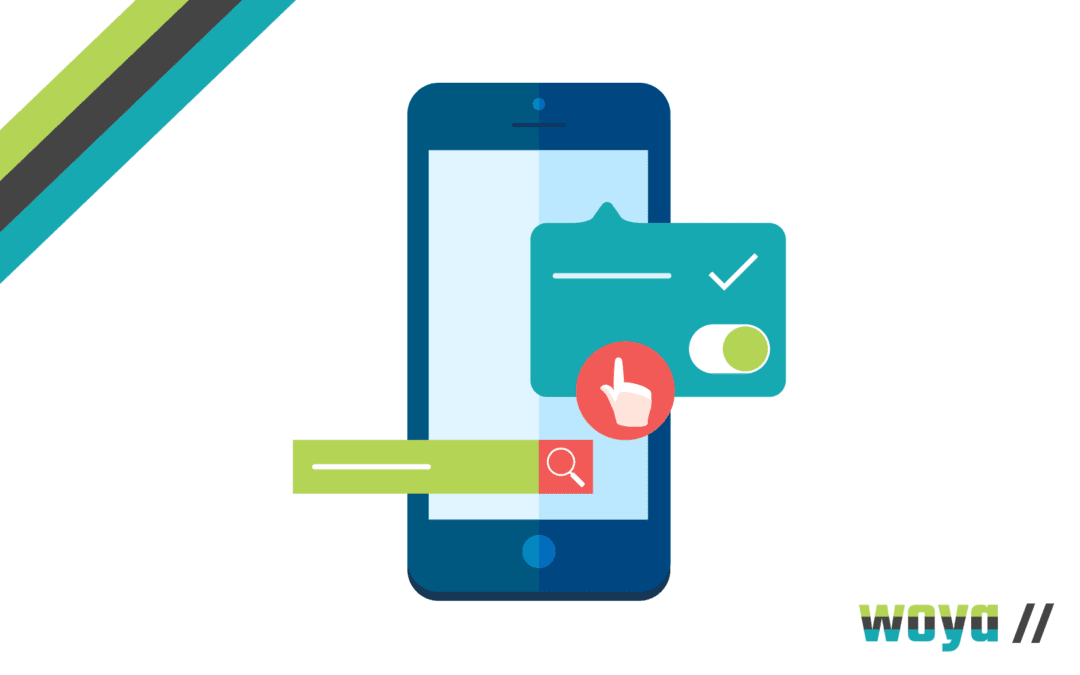
A website built with mobile friendly design will detect the device data of a user when they visit and present a format that fits the screen size, loads correctly and has the relevant security protocol in place. You’ll likely have seen a mobile friendly website in action – noticing that the photos and content are formatted in a more streamline manner when you visit the site on a mobile device compared to on a laptop or desktop PC.

When websites were first being created as a digital marketing tool, they were all built with a set screen width; to cater for visits from a desktop computer. However, now, there are generally four screen sizes focused on with mobile friendly design: desktop monitors (as before, although sometimes bigger), smaller desktop monitors (ie. laptop screens), tablets (ie. iPads) and mobile phones (ie. iPhones).

Most recent responsive design practices allow for almost all of the page elements to be flexible – so they shift to fit but also so that unnecessary images or elements are hidden. Overall, this provides a better UX (User Experience) and allows for the optimisation of conversions or other call to actions on-site from users.

Behind-the-scenes on the site, the same HTML code is sent to all devices and then additional CSS code alters the page rendering to fit the device from which its being visited.

SEO Impact of Mobile Responsiveness

When businesses think of SEO, there tends to be a natural focus on keyword usage; and while this is an important part of digital marketing, it is no longer the ‘be all and end all’. Instead, Google’s most recent algorithm updates have drawn away focus from curated content creation and instead focus on UX (User Experience). This means that factors in a website’s usability are now key to its organic search ranking.

Google’s algorithm automatically detects the HTML with interchangeable CSS code that indicates mobile responsiveness and favours such websites in its SEO rankings. Having a mobile friendly website can also help Google crawl your site quicker, as a user agent only needs to crawl it once rather than several times to retrieve all different versions of the content.

This allows for enhanced crawling efficiency to allow for faster and more regular fresh indexing. Several on-page factors linked to mobile responsiveness also contribute toward a website’s SEO; including loading time and site security certificates.

It is now near impossible to reach a high-ranking position on Google without having a mobile responsive website and so it’s imperative that businesses invest in a thorough all-round SEO strategy in order to cover off all bases to give the highest possible chance of ranking on page one.

Where there are two websites with similar content in the same niche, Google will always rank one that is mobile friendly and loads quickly above one that does not.

How To Make A Start On Mobile Responsive Web Design

A common pitfall that businesses fall into is buying a web design package that’s one-size-fits-all and doesn’t necessarily work to the organisation’s idiosyncrasies. It is critical that businesses select web design that works best for them and their audience, in order to best present the content and layout that’s most likely to encourage conversion.

Woya Digital includes mobile friendly and bespoke creative design as standard, alongside speedy hosting for the quickest possible loading times. We understand the need to be up, running and optimised fast, so our expert team can turn around an initial design for you in just a few days. Get in touch to talk through our options and make your brand stand out online!

Top 10 Features That Make a Successful Pay Monthly Website

Top 10 Features That Make a Successful Pay Monthly Website

Reading Time: 4 minutes

With so much content online, it has become quite difficult to bring your business and products to the forefront. However, a successful business does not just depend on ‘fresh content’, though that is one of the biggest factors with a pay monthly website, but what often makes a success are the other small elements to bring in the traffic.

One way to give your business that market boost is to hire an designer or digital marketing agency for a pay monthly website service. Services such as these create a modern market presence through fresh website design taking into account your brand, business information and shaping your online presence to a T. Following are our ten essential features that a website must have in order to run a successful business website:

1. Personalised About Us Page

Today, an ‘About Us’ page has evolved into many categories: history, accolades, achievements and a personal short story. The idea behind an About Us page is to give your potential costumers insight into how you came about your business and what challenges you faced. Adding your personal story allows people to connect with you on an intimate level that build’s trust even before they have approached you.

2. Visible Pricing and a way to buy

If you want your business to reach that goal you have planned, then it needs to have a killer e-commerce platform and the best way to interact with your customers . . . a quote form. Today, it is a must that businesses show pricing and if they have a physical store they mirror this online. What’s the reason?

  1. Great way to advertise your products and services
  2. It brings in more sales
  3. Bigger market presence
  4. More awareness

As for the quote form, this allows you to know about a person and their business before they become your client.

3. FAQ page

Before they ask, you already have the answer, this is the beauty of a well- written FAQ section. Customers appreciate it very much when the answer to their every question is already given and in detail, it shows that you have thought about it. This is the place where you can go crazy and write everything in detail, all the questions you have been asked so far, details on the product and service so that your customer is satisfied and knows you care. Plus you can refer future queries to this page when the question arises, like a answer database.

4. Contact form

The importance for this page cannot be stressed enough! There’s nothing that people hate more than not finding contact information when they want to inquire about a service. Points that must be included are phone numbers and e-mail address (be careful of spam), which people can easily copy. Not having this raises more questions, queries and concerns, quite simply it will probably cost you the sale.

5. Anti-Spam solution

CAPTCHA – Your security partner. All it does is make sure that you are not being scammed by a virus and the person on the other end is a real person. It is easy for a web developer to set up, so insist on this as part of your new pay monthly website.

6. Linked telephone number

Modern websites can easily link telephone numbers, which allow your visitor to call you simply by clicking the link on the telephone number.

Your new pay monthly website should include this feature as standard, not having this makes users switch off and unable to make that snap decision to call!

7. Mobile friendly website

This isn’t even negotiable, if your website is not compatible on a mobile phone, act now! 2017 websites are intelligent enough to know what screen visitors are viewing on and will convert the layout into the right and often very different format to make the content work. This impacts design, so make sure your website has this feature, this is key, as much as 50% of web traffic can be on a mobile in 2017.

8. Create hooks to obtain leads

Lead Magnets are important, period. A real hook would be fantastic content that the visitor wants and would be prepared to provide their email address as a trade. This ‘Download our Super Guide’ or something exciting, new and fresh, make sure that it has ‘fascination bullets’. In modern days a newsletter is not enough and not exactly a lead magnet, it sure does the work in driving in more traffic you need more imagination to appeal to your audience.

9. Links to your social media pages

Remember the bigger market presence? This includes social media pages such as Facebook, Twitter, Linked-In, etc. This is a great way to engage and present your target audience with information, which they will enjoy reading.

10. Regular fresh content on your website pushed out to social media via a pay monthly website service

It’s not always about quantity. Post new, ‘quality’ content every week to keep your audience engaged. Use different lead magnets and content types to attract their attention.

These ten features are just the basics that can take your business to the top. Woya is a social media marketing agency offering pay monthly website that offer a business rapid solutions. To know more about their services, call 01243 859 838.

Online Advertising Facebook and Google Tips

Online Advertising Facebook and Google Tips

Reading Time: 3 minutes

People use the internet to research and browse almost everything these days.

It makes it the ideal place to market your business and reach out to a larger customer base via online advertising. Facebook and Google Adwords offer a great budget-friendly opportunity for targeted marketing campaigns.

Online Advertising on Facebook

Advertising on Facebook has the potential to change your business. It gives you an opportunity to reach such a large number of people. It’s an ideal advertising option for small business because it doesn’t involve huge costs and you can monitor the success yourself.

One of the benefits of Facebook online advertising is that is allows a targeted audience. By using this feature you can make sure that your advert will reach the right people for your business. You have complete control of the budget by selecting how many people they want their message to reach. This offers flexibility appreciated by small businesses, start-ups and those that want to gain an insight into their audience.

It’s simple to create an online advertising campaign. First, you need to setup a business page on Facebook, filling out your details, adding photos and posting updates. When you start a Facebook ad it will let you set up an objective, such as ‘send people to your website’ or ‘get people to claim your offer’. You will then be able to choose a target audience, selecting a location, age and interests among other options.

You will then select your budget and be shown how increasing or decreasing it will affect estimated reach. Once you’ve set out how you want your ad to look you simply need to place your order.

Top tips for online advertising on Facebook:

  • Have a goal before you start planning your advert. This will allow you to get the most out of our campaign and tailor the content to suit your aim.
  • Build a relationship with your Facebook users too – don’t just bombard them with sales and ads. Get your target audience to keep coming back to your Facebook page after clicking on an ad by providing a range of content.
  • Think about who you want each specific ad to reach and reflect this in who you select as your target audience. Facebook has millions of users so don’t waste your time and budget connecting with people who aren’t your potential customers.

Using Google Adwords

Using Google Adwords is one of the most effective ways to grow your business. It allows you to reach new customers that are specifically searching for businesses or products like yours. Like Facebook, it allows you to reach a targeted audience and control your budget.

There’s more than one way to advertise on Google Adwords, but the most commonly used involves pay per click (PPC) advertising.

Users bid on keywords that are relevant to their business and will then have their website featured to users that have used these keywords.

When you’re setting up your campaign you’ll be able to choose a location that you want to target. It gives you an option to see the competition, the number of monthly searches, along with approximate cost.

This is a useful tool if starting a marketing campaign to try different keywords that will give the best outcome.

Top tips for online advertising via Google Adwords:

  • Carefully select your keywords. Include branded keywords, such as your business’ name and phrases that are specific and targeted eg ‘Chinese restaurant London’.
  • A great deal of online business is now done via mobile devices, make sure your ads are suitable for viewing on mobile phones.
  • Include a call to action in your ad. This could be telling users to download a free report or to take advantage of one of your offers on your website.

Woya digital is a social media marketing agency in Chichester, that can assist companies of all sizes, anywhere, promote themselves through the internet, including online advertising. Our fixed price offering is straight forward and yields results! Woya is fantastic at social media management, website design and SEO, all paid monthly, with no upfront investment.
Be Found Online – with Search Engine Optimisation – SEO

Be Found Online – with Search Engine Optimisation – SEO

Reading Time: 3 minutes

If you’ve researched creating a website or have set one up already, you’ve no doubt come across search engine optimisation, or SEO.

Effectively using SEO can make your website easier to find online, driving up traffic and business sales but if you’ve not used the technique before, it can leave you perplexed and overwhelmed by terminology.

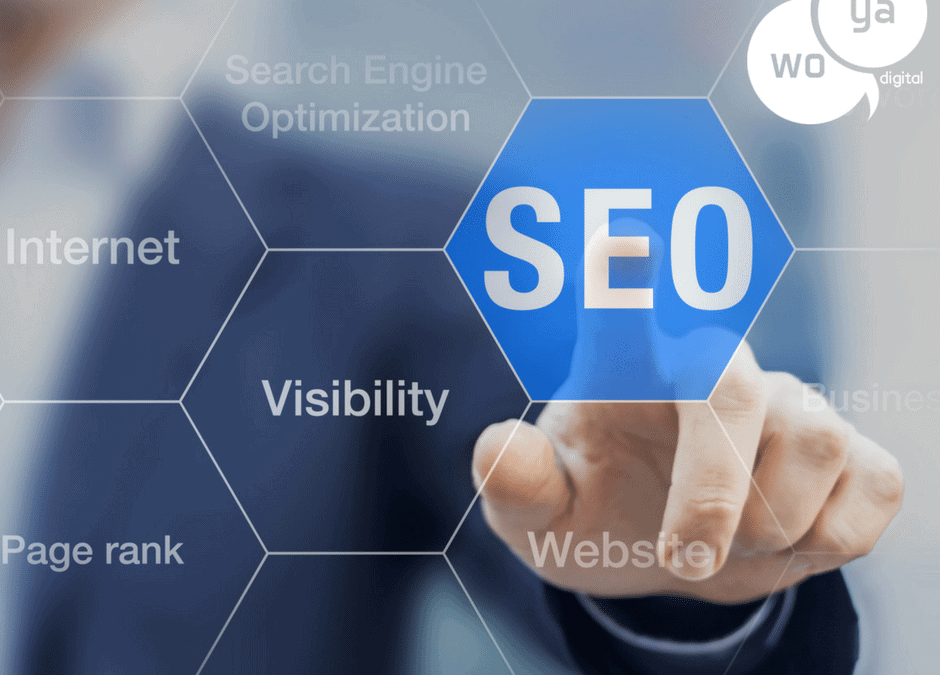
SEO is basically a technique used to improve a website’s search engine rankings. With so many websites and competing businesses now online, having a robust SEO strategy in place can make a huge difference. After all when was the last time you went to the second or third page of Google’s results? Making your website easier to find can lead to more traffic and more sales, therefore improving your revenue.

Before you start SEO activity on your business’ website make sure it is functional and appeals to your target audience. If it’s not, potential customers will quickly click off it despite finding it. Ensure your content is clear and website is well maintained, not only will broken and invalid links frustrate customers they can affect SEO too.

Regular Updates

Updating regularly is one of the key things a business can do to improve their SEO. Aim to add new content every few days. A simple way to do this is to include a business blog, where you can share business updates, industry news and other content your customers will find interesting and useful. Make sure all your titles, headers and pieces of text are clear and use your keywords in a natural manner. Content should be unique and aim to provide at least 300 words. Mix this up and publish longer pieces sometimes too.

Link Building

Building links can improve SEO as well by establishing your business as trustworthy and a voice of authority. While it can be tempting to spam sites with links to your business go for quality over quantity. The important thing is relevance – a link from your local newspaper or an industry website is more valuable than a 10 free links from general online directories.

A huge amount of online research and business is now done on mobile devices and this isn’t only useful for increasing your sales, it helps with SEO too. Google’s algorithm for instance will consider if your website can be viewed on mobile phones or tablets.

Finally, use analytical tools to see where most of your traffic is coming from. There are lots of free tools online, such as Google Analytics, that can provide you with valuable insight as to what is working and what needs improvement.

Top tips for improving SEO:

  • Use keywords throughout your website. Your keywords should reflect what people would search to find a business like yours.
  • Create a plan for when you will update your website and publish new content and stick to it. How frequently your website is updated has a large impact on its search engine rankings.
  • Monitor your success and make sure you keep an eye on what is working. The internet is constantly evolving and your SEO strategy should too, check out how search engines are changing their algorithms and reflect this in your techniques

Woya digital is a social media marketing agency in Chichester, that can assist companies of all sizes, anywhere, promote themselves through the internet. Our fixed price offering is straightforward and yields results! We are fantastic at social media management, website design and SEO, all paid monthly, with no upfront investment.
Be Found Online – Keywording Your Website Content

Be Found Online – Keywording Your Website Content

Reading Time: 2 minutes

Once you’ve set up your website you need to make sure it’s easy for customers and clients to find.

Even if you’ve developed an incredible website that perfectly encapsulates your brand, it’s not going to have any impact if people aren’t visiting it.

One way to make sure you’re found online is to use keywords in your website content.

Content

When you’re creating a website you’ll need to create content to fill it with. This could be information directly related to your business, such as product descriptions, or other written content, such as blog posts. Blog posts are an excellent way to keep your website updated and fresh, connect with your audience and improve how prominently your site appears on search engines like Google by offering valuable content.

Keywords

Firstly, you’ll need to consider what your keywords are. These will be different for each business and could even change as your business grows and develops. For example, if you’re a florist operating in London your keywords could include ‘florist London’ and ‘wedding flowers London’.

Think about what your potential customers would be searching if they were looking for a service or product you offer. Create a list of between five and 20 keywords for your business and regularly review these to see if they still fit with what your business does.

When it comes to writing the content, it’s a good idea to include some keywords in the headers, sub-headers and introduction. This will help with making the website easier to find through search engines and useful for people that are skim reading. While you want to incorporate keywords into the actual content you’re writing you don’t want to do it too much. Remember that you want to add value and therefore it needs to be readable and enjoyable rather than just a sales tool.

Top tips for key-wording your website content

  • Start a business blog. There’s lots of reasons to start a business blog but offering valuable content that uses keywords to make you easier to find online is just one great motive for setting up yours.
  • Keep a list of your keywords handy when you’re writing your content so you can refer to it.
  • Aim for around 2-5% of your content to be made up of keywords. If you add in too many it can make the content unreadable and seem forced and readers will quickly become bored and look elsewhere.
  • Remember to use keywords as tags for your content.

Woya digital is a social media marketing agency in Chichester, that can assist companies of all sizes, anywhere, promote themselves through the internet. Our fixed price offering is straightforward and yields results! We are fantastic at social media management, website design and SEO, all paid monthly, with no upfront investment.
Growing Your Business Through Facebook

Growing Your Business Through Facebook

Reading Time: 3 minutes

If your small business sells products or services to consumers, Facebook can be a useful, free marketing tool.

Used correctly, this social media platform is a valuable conduit linking your brand with potential customers and a whole suite of tools to grow your business.

You can use your Facebook page to inform customers of business developments, offers and new products. However, you don’t want to post too often and you’ll need to share links, images and posts that your audience is interested in as well as sales-based stories. Promoting your business too much on a social media platform can lead to customers unfollowing or blocking your business page. It’s a fine balance between using Facebook as a tool to advertise your products and connecting with people.

Businesses can use Facebook Promoted Posts to reach a certain number of users, increasing the post’s reach. The tool allows you to choose your audience, for instance you can set a geographical location, age range or select interests, so you can reach the right type of people at exactly the right time, and not waste any of your valuable advertising budget on irrelevant eyeballs. You’ll be able to choose a budget and Facebook will estimate the number of people you’ll reach, giving you some useful insights into your possible advertising outcome before you commit a penny.

Promoting a post is a great way to attract new customers and draw them to your Facebook page and website. Carefully choose which posts to promote to make this functionality really work for you – fun and informative posts are more likely to increase engagement and drive traffic to your page than a sales pitch.

You also have the option to use Facebook Marketplace Ads. Again, Facebook allows you to target the audience of the advert, with a choice of sophisticated demographic options. The ad you create features in the News Feed sidebar and includes a headline, copy, an image and a website link. The price you pay will vary as the advert works on a bidding process. You can bid either on impressions (the number of times your ad is shown) or clicks.

Facebook contests and promotions are a great way to raise brand awareness too and can get users sharing your updates and expanding your network. Be aware though that there are rules for running a competition on Facebook and you’ll need to use a third party app.

Social media platforms are constantly evolving and trends are always changing. You need to monitor what is working and what your customers are interested in to get the most out of Facebook. Page insights can show you who your customers are, the Adverts Manager dashboard will allow you to see how your ads are performing and using tracked URLs means you can tailor the content you are sharing.

Do:

  • Understand what your audience shares on Facebook – images tend to attract more likes, shares and comments than a simple status update.
  • Engage with your followers – ask questions, share interesting new updates and reply to queries through Facebook.
  • Measure the success of your updates – see what your audience responds to and adjust your social media strategy accordingly.

Don’t:

  • Ignore feedback – Facebook is a useful tool for gathering feedback and customer opinions, make sure you take them on board.
  • Be slow to respond – people expect quick responses when it comes to social media so make sure your response times are appropriate.

Only post updates about your business – you need to keep your audience interested so post news updates, funny videos, pictures and views throughout the day that aren’t directly related to your business.

Woya digital is a social media marketing agency in Chichester, that can assist companies of all sizes, anywhere, promote themselves through the internet. Our fixed price offering is straightforward and yields results! We are fantastic at social media management, website design and SEO, all paid monthly, with no upfront investment.
Growing your Business Through LinkedIn

Growing your Business Through LinkedIn

Reading Time: 3 minutes

LinkedIn is the world’s largest professional social network. As a result, it offers a great opportunity to grow your business if you’re targeting other companies or working professionals.

Step 1

You will want to create a LinkedIn company page for your business and include details along with a company description. It’s also a good idea to ensure your own LinkedIn account is up to date so you can connect with customers and business associates and share updates. Many business opportunities come through networking and LinkedIn is a brilliant tool for this.

You can use LinkedIn to display recommendations for your products and services, gain introductions to business connections and allow potential customers to search for you. Individuals can search the platform for businesses within a certain industry as well as using keywords so make sure your profile page is searchable.

Step 2

Once your page is set up, connect with professionals you already know and join groups that are related to your business or trade.

In order to engage with your LinkedIn network, you’ll want to post regular updates. From a business point of view include information on what you’re working on, clients you’re working with and new launches. However, you don’t want all of your posts to be directly about your business. You should also include updates that would be of interest to your customers and business partners, this could include industry news, governmental policies that may affect businesses and challenges the sector is facing, for instance.

Step 3

Actively participating in discussions on the platform is an effective way to gain exposure and credibility. Pick topics that you know a lot about in the area your business operates in to help establish yourself as an expert in the field. While you want to promote your business it’s best to focus on the discussion, if you have something interesting and insightful to say people will likely click on your profile to learn more about the business. Simply focusing on self-promotion can lead to you being kicked out of a discussion and can harm your reputation.

If there’s an area of your business’ sector that you think would make for a good debate set up your own discussion. Pick a topic that will have lots of different opinions, ask questions or start a poll to get people engaged. By tying the discussion to relevant news and trends you also boost its popularity.

Step 4

LinkedIn also offer targeted advisements for B2B. The advertisement can be targeted based on job title, industry, company size and seniority allowing you to reach your desired audience. You can set your own budget for your campaign and there are no long-term contracts or commitments, making it a good choice for those that want to try out the service and measure outcomes.

Do:

  • Post regularly – Keep in touch with your network to increase your visibility on the site.
  • Update your page frequently – Be sure to keep your page updated with your latest projects or products.
  • Keep your contacts up to date – Connect with anyone you do business with, it means you can keep them up to date with company news.

Don’t:

  • Self-promote too much – LinkedIn is a business network but adding value through your expertise will be far more beneficial than several updates a day that are self-promotional.
  • Be too informal – While you don’t need to be really formal on LinkedIn, you need to be aware that the people you’re connecting with could become your business customers or partners.
  • Spam groups and discussions – Carefully select the discussions you join and only comment when you have something interesting to add.

Woya digital is a social media marketing agency in Chichester, that can assist companies of all sizes, anywhere, promote themselves through the internet. Our fixed price offering is straightforward and yields results! We are fantastic at social media management, website design and SEO, all paid monthly, with no upfront investment.
Add a New Administrator to your Facebook Page

Add a New Administrator to your Facebook Page

Reading Time: 3 minutes
Whether you are working with a social media agency like Woya Digital or empowering an employee with access to Facebook, at some stage you will want to add or change an administrator or other role to your Facebook business page.

Unlike Twitter, where anyone with a password can access the account, Facebook works by giving an existing Facebook user a permission based role on the business page (see end of blog).

Adding roles on a Facebook page

Adding a new Administrator to your Facebook business page is a fairly easy task that will take only a few minutes (make sure you have the Facebook login email of the person you want to add) and is one essential action needed before Woya Digital can start work on your social media.

  1. Log in to Facebook
  2. Go to your main business page and look for the settings link, under the blue Facebook bar, top right hand corner
  3. Click Page Roles on the left hand side
  4. Add the new administrator by adding their Facebook account email address 
  5. If you do not know their Facebook login email, you can use their username, but only if they are an existing friend or already like the page – To ensure that you add the right person we suggest using their Facebook login email
  6. Click SAVE 
  7. Enter your Facebook password to confirm to amends

Add a New Administrator to your Facebook Page
Add a New Administrator to your Facebook PageRole types
Admin

Admins can manage all aspects of the page, including sending messages and posting as the page, creating adverts, seeing which admin created a post or comment, viewing insights and assigning other page roles.

Editor

Editors edit the page, send messages and post as the page, create adverts, see which admin created a post or comment, and view insights.

Moderator 

A moderator can respond to and delete comments on the page, send messages as the page, see which admin created a post or comment, create adverts and view insights.

Advertiser

Advertisers see which admin created a post or comment, create adverts and view insights.

Analyst

Finally an analyst can just see which admin created a post or comment and view insights.

Woya digital is a social media marketing agency in Chichester, that can assist companies of all sizes, anywhere, promote themselves through the internet. Our fixed price offering is straightforward and yields results! We are fantastic at social media management, website design and SEO, all paid monthly, with no upfront investment.
Growing your Business Through Twitter

Growing your Business Through Twitter

Reading Time: 3 minutes

Twitter might limit your updates to just 140 characters but that doesn’t mean you can’t pack a lot into each and every one.

One of the things that makes Twitter an ideal marketing tool is that every tweet will feature on every followers’ feed so you can be sure your audience will have an opportunity to read it.

By following some simple steps and carefully crafting your tweets to suit your audience and brand, you can use Twitter to grow your business.

Step 1

Once you’ve set up an account, you want to gain followers. Make sure you let your audience know you’re now on Twitter with an update on your website and other social media platforms.

Step 2

Following other people and businesses is one way to grow your own followers but be selective. Start by following your customers, business partners, trade organisations in your industry and other businesses in your community. Journalists, bloggers, writers and thought leaders that focus on the sector your business operates in are also excellent people to follow.

Step 3

Knowing what to tweet can be tricky. You want to promote your business, but don’t go overboard by bombarding your followers with links to your website every time. Comment on subjects not directly related to your business and share photographs and videos too. You want to engage with your followers rather than every tweet being a sales pitch.

Step 4

The character count on Twitter means you need to keep your updates short and to the point. Consider the message you want to get across and think about the quickest way to do this. If you’re linking to a website you’ll want to use a URL shortener, such as Ow.ly, to use up less space.

Step 5

Twitter isn’t just about posting updates either, you want to create a two-way conversation where you can talk to your customers. If they tag you in a post respond and use questions to encourage them to talk about your brand and engage with you.

Step 6

Hashtags are a great way to widen your reach. Using trending topics with a relevant connection to your brand can help you reach new users. However, using too many hashtags can be a turn off – use them sparingly but effectively by seeking conversations where you can add value and expertise.

Step 7

You’ll need to assess how your business is doing on Twitter to continue getting the best out of the social media platform. Twitter Analytics is a great tool for monitoring your impact and seeing what is working. The dashboard will show you when the best time is to tweet and the type of content that is most engaging to your followers.

Do:

  • Follow a variety of people – Get engaged with your customers, thought leaders, other businesses and the media.
  • Keep an eye on trends – Look at trending topics and hashtags and see if you can make a connection with your brand.
  • Get your employees involved – Encourage your staff to follow and engage with the business Twitter account.

Don’t:

  • Forget to tweet – Make sure you tweet regularly and respond to all enquires directed at the business.
  • Make every tweet about you – Your followers will become bored of reading your tweets if they are all ‘salesy’ so be sure to include other types of content.

Don’t just use comments – Use videos, images and links to news articles or blogs that will entertain and interest your audience.

Woya digital is a social media marketing agency in Chichester, that can assist companies of all sizes, anywhere, promote themselves through the internet. Our fixed price offering is straightforward and yields results! We are fantastic at social media management, website design and SEO, all paid monthly, with no upfront investment.

Launching & Promoting Your Business With Social Media Marketing

Launching & Promoting Your Business With Social Media Marketing

Reading Time: 3 minutes

Starting and promoting your business and getting your name out there can be a difficult and daunting process…

…but the good news is that the modern world of social media means you can reach a wide audience with a few clicks of the mouse, a good dollop of creativity and little more than a mobile phone or a tablet.

By asking yourself some key questions in promoting your business and following our top social media tips you can build up a social media following in no time – allowing you to promote your business and reach out to customers on platforms that suit them.

  1. Decide which sites you’ll use

The first thing you need to consider is what platforms you will be using. Your choice will be dictated to a large extent by your target audience. If you’re a B2B service or product and want to talk to professionals about things related to their work, you might not gain much attention on Instagram but starting a LinkedIn discussion could draw your customers’ eye to your expertise. Likewise, a business that creates unique and personalised homewares will be better suited to a visual social media platform such as Pinterest or Instagram than LinkedIn.

  1. Establish your company voice

As you’re going to be creating a lot of content, you need to think about the tone of voice you will use on social media. This should reflect your brand and be appropriate for the medium. If you’re a fun, lively brand aimed at young people then a less formal approach can make your business seem stylish and approachable. However, if you’re a business selling security solutions for instance, you’ll want to project a professional image – the language you use will need to reflect this.

If several people are going to be updating your social media accounts, it’s a good idea to draw up some guideline so that all of the updates are written in the same tone and style. Even if there is only one person controlling the platforms this can still be a useful practice to ensure continuity.

  1. Make your posts count

Follow these three tips to get you started on promoting your business through social media platforms:

  • Social media users will be turned off if every update is a sales post with the aim of promoting your business. You need to link to valuable content that your audience will enjoy and find interesting too – they’re more likely to share this content so you’ll reach a bigger audience as well. This is called content curation.
  • Social media is a great way to create a two-way dialogue with your customers so don’t just post updates – ask questions, respond to enquiries and share interesting news.
  • Show off your expertise. If there’s a news story or viral video on the internet that’s related to your business, comment on it.
  1. Review

Finally, continue to monitor the success of your social media engagements. Review whether you’re reaching the right audience, see what they are responding to and keep an eye out for new trends and platforms. Social media is always evolving and so should your social media strategy.

Woya digital is a social media marketing agency in Chichester, that can assist companies of all sizes, anywhere, promote themselves through the internet. Our fixed price offering is straightforward and yields results! We are fantastic at social media management, website design and SEO, all paid monthly, with no upfront investment.